

The problem with using the wrong project management software (or none at all) is not just the time and effort you lose, but also the visibility, consistency, and automation you miss out on.
In the 2025 State of Accounting Workflow Automation Report, over 53% of accounting firms spent more than five (5) hours every week scheduling and assigning work before implementing project management software.
On the one hand, that’s a good portion of the workweek wasted on repetitive administrative tasks. On the other hand, it’s time that could have been invested in delivering higher-value advisory services, strengthening client relationships, or growing the firm.
This shows why choosing the right project management software is just as important as choosing to use one at all. The wrong solution merely digitizes your existing challenges. But the right one standardizes recurring workflows, automates routine administrative work, and gives your team the visibility to plan, assign, track, and deliver client engagements at scale.
In this guide, we’ll compare nine of the best accounting project management software for small and mid-sized accounting firms (firms with roughly 2–50 employees). We’ll evaluate each one based on its features, pricing, ease of use, client collaboration capabilities, and overall fit for small and mid-sized firms.
(You may also be interested in: The Best Accounting Practice Management Software Options)
TL;DR
- Accounting project management software helps firms plan, track, and complete client work, and the best tools are purpose-built for accounting, not adapted from generic project management apps like Asana, ClickUp or Monday.com.
- Best Overall for Most Firms: Financial Cents tops the recommendation for small and mid-sized accounting firms (2–50 employees) because it combines accounting-specific project management with broader practice management in an easy-to-use platform.
- Best Alternatives by Use Case: Canopy is our top recommendation for tax-heavy firms. Karbon is best for larger teams that need advanced collaboration and email management. Jetpack Workflow is ideal for simple, recurring workflows and for tracking deadlines. ClickUp and Monday.com are best if you prefer a general-purpose project management software that you can customize for accounting workflows.
- Purpose-Built vs. Generic: Accounting-specific platforms are designed for the operational context of the accounting industry. Generic project management tools offer greater flexibility but require accounting firms to build and maintain those workflows.
- How to Choose: The right software for you is the one that best fits your firm’s workflows, team size, and growth plans, not necessarily the one with the longest feature list.
Quick Comparison Table of Top Project Management Software
← Scroll to see more →
| Tool | Best For | Ideal Firm Size | Purpose-Built or Generic |
Standout Capability | Key Limitation | Starting Price | Trial/Demo |
|---|---|---|---|---|---|---|---|
| Financial Cents | Small and mid-sized firms wanting an all-in-one practice management platform. | Accounting, bookkeeping, CPA, and tax firms (2–50 employees) | Purpose-built | Recurring workflows, automated client requests, capacity planning, and practice management in one platform | Not intended for organizations outside the accounting profession; lacks advanced tax resolution features | $19/month for solo firms $49/month per user for teams |
14 days |
| Karbon | Growing firms with complex collaboration needs | Accounting firms (10–100+ employees) | Purpose-built | Email collaboration, workflow automation, and capacity management | Higher cost and steeper learning curve | $59/user/month | Yes |
| Canopy | Tax-focused firms needing integrated practice management | Mid and large tax and accounting firms | Purpose-built | Tax resolution, client portal, document management, and billing | Interface can feel laggy due to database size; can become expensive as firms add more modules | $74/month per user | After demo |
| TaxDome | Firms wanting an all-in-one client-facing practice management platform | Small and mid-sized accounting, bookkeeping, and tax firms | Purpose-built | Client portal, document management, CRM, e-signatures, and workflow automation | Interface and workflow setup require a learning curve | $800/year for solo firms | Free trial available for non-U.S. firms after demo |
| Jetpack Workflow | Firms focused on recurring compliance work | Solo and small accountants and firms (2–25 employees) | Purpose-built | Recurring workflow templates and deadline management | Limited CRM and client collaboration features | $40/month per user | 14 days |
| Aero Workflow | Small, process-driven firms transitioning from manual workflows | Accounting firms (2–20 employees) | Purpose-built | Simple recurring workflow management with accounting-specific templates | Limited automation and reporting | $108/month for 1–5 users | 30 days |
| ClickUp | Tech-savvy firms wanting maximum customization | Firms of any size with dedicated setup resources | General-purpose | Highly customizable workflows, dashboards, and automations | Requires significant setup and ongoing maintenance | $7/month per user | Free plan |
| Monday.com | Teams wanting visual work management | Small and mid-sized firms comfortable customizing workflows | General-purpose | Flexible boards, dashboards, and no-code automation | No accounting-specific workflows or client portal | $9/month per user | 14 days |
| Asana | Small firms with straightforward internal workflows | Solo accountants and firms (2–10 employees) | General-purpose | Intuitive task management and team collaboration | Requires additional tools for accounting-specific workflows | $10.99/month per user | 30 days |
What Is Accounting Project Management Software?
Accounting project management software is a software program that helps accounting, bookkeeping, CPA, and tax firms create projects, assign tasks, and track progress to ensure work is completed on time.
Accounting project management software is different from general-purpose project management systems because they are designed for the recurring and client-dependent nature of accounting project engagements.
Accounting Project Management Software Also Differs from Project Accounting Software
Project Management Software for accountants (the focus of this guide) is a workflow and operational management tool that enables accounting practices to organize their internal resources, manage client collaboration, and hit compliance deadlines consistently.
Project Accounting Software (job-costing software) is a financial accounting tool businesses in industries (like construction, engineering, architecture, or software development) use to track project budgets, job expenses, revenue recognition, and the profitability of projects.
Accounting Project Management vs. Practice Management vs. Task Management
Accounting project management, accounting task management, and accounting practice management are terms most firms use interchangeably.
While they are both relevant to accounting work management, they speak to different types of software and are useful for different operational purposes.
| Software Type | Primary Focus | Typical Features | Best For |
|---|---|---|---|
| Task Management | Organizing individual tasks to ensure timely completion | Task lists, due dates, assignees, reminders, and central team collaboration | Individuals or small teams managing simple to-do lists |
| Accounting Project Management | Planning, executing, tracking, and evaluating the profitability of client engagements | Workflow templates, task dependencies, recurring projects, time tracking, progress reporting, client requests, and client portal | Firms that need to manage recurring accounting work across clients and team members |
| Accounting Practice Management | Running the entire accounting firm | Everything in project management, plus client CRM, document management, proposals, billing, invoicing, etc. | Firms looking for a centralized platform to manage the entire firm. |
It is common to see accounting project management software blending elements of all three. Most small and mid-sized accounting firms need accounting practice management platforms with strong project and task management capabilities to eliminate the need for multiple disconnected apps.
Must-Have Features in a Project Management Tool for Accountants
No accounting project management software can do more than the sum of all its features. The following features must be available for any firm to realize the benefits of accounting project management software.
- Task Management and Progress Tracking
This feature ensures the completion of all client deliverables, from project creation through task assignment and tracking to the completion of all milestones in an accounting engagement.
- Workflow Templates for Recurring Engagements
Workflow templates are reusable checklists that standardize the steps needed to deliver quality client services across your team. It improves consistency and reduces second-guessing in the firm.
- Time Tracking & Billing
Time and billing are another essential feature of accounting project management software. They log employee work hours and connect timesheets to client engagements. This enables the automation of the invoicing and payment collection process.
- Team Collaboration
Your project management software should keep work-related information and conversations in proper context through task assignments, comments, mentions, and file-sharing.
- Workflow Automation
This feature automates reminders, task assignments, dependencies, and recurring projects to reduce manual tasks and follow-ups, ensuring no step is forgotten or the project is stuck.
- Client Management
From accounting firm CRM to client portal and document management, Security and centralization are the foundation of the CRM feature. It organizes client files and information to help you nurture relationships more effectively.
Look for software that connects email with client work so messages, responsibilities, and next steps remain visible without switching between disconnected inboxes and project tools.
- Integration with Accounting Software
Every solid project management software for accountants should sync relevant work and client data with the general ledger and other accounting tools (QBO, Xero, tax software). This connection enables clients’ financial information to flow effortlessly across your accounting tech stack.
- Capacity management
Real-time visibility into each staff member’s workload helps firms to prevent burnout and allows managers to reassign tasks and keep deadlines attainable.
- Reporting & Team Performance Dashboards
Report dashboards provide the engagement performance data that enable owners, partners, and managers to make timely decisions to protect revenue margins.
The 9 Best Accounting Project Management Software in 2026
1. Financial Cents
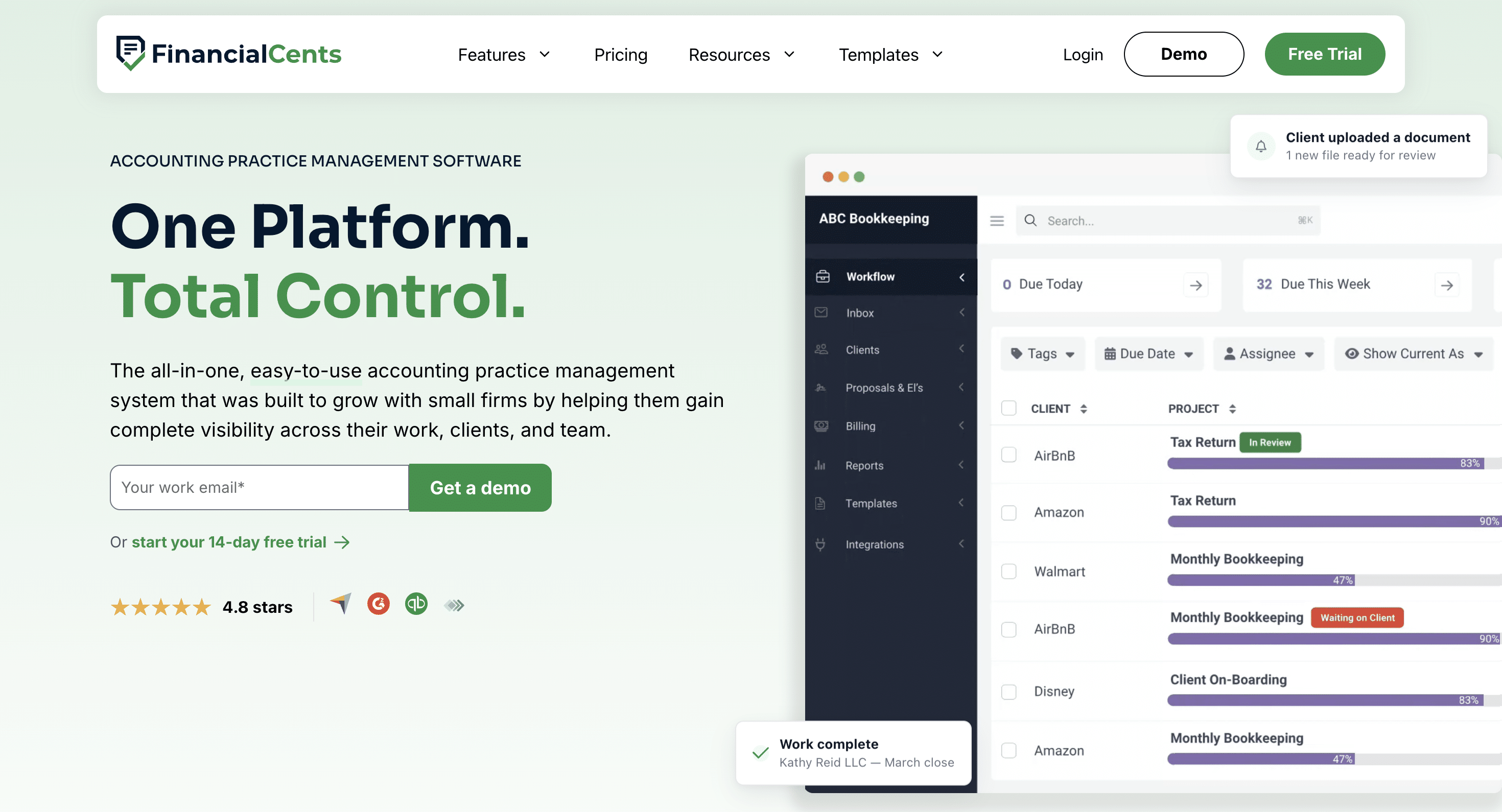
Financial Cents is an accounting project management software designed for bookkeeping, CPA, and tax firms to plan, assign, track, and automate client work while providing the operational tools needed to manage recurring engagements more efficiently.
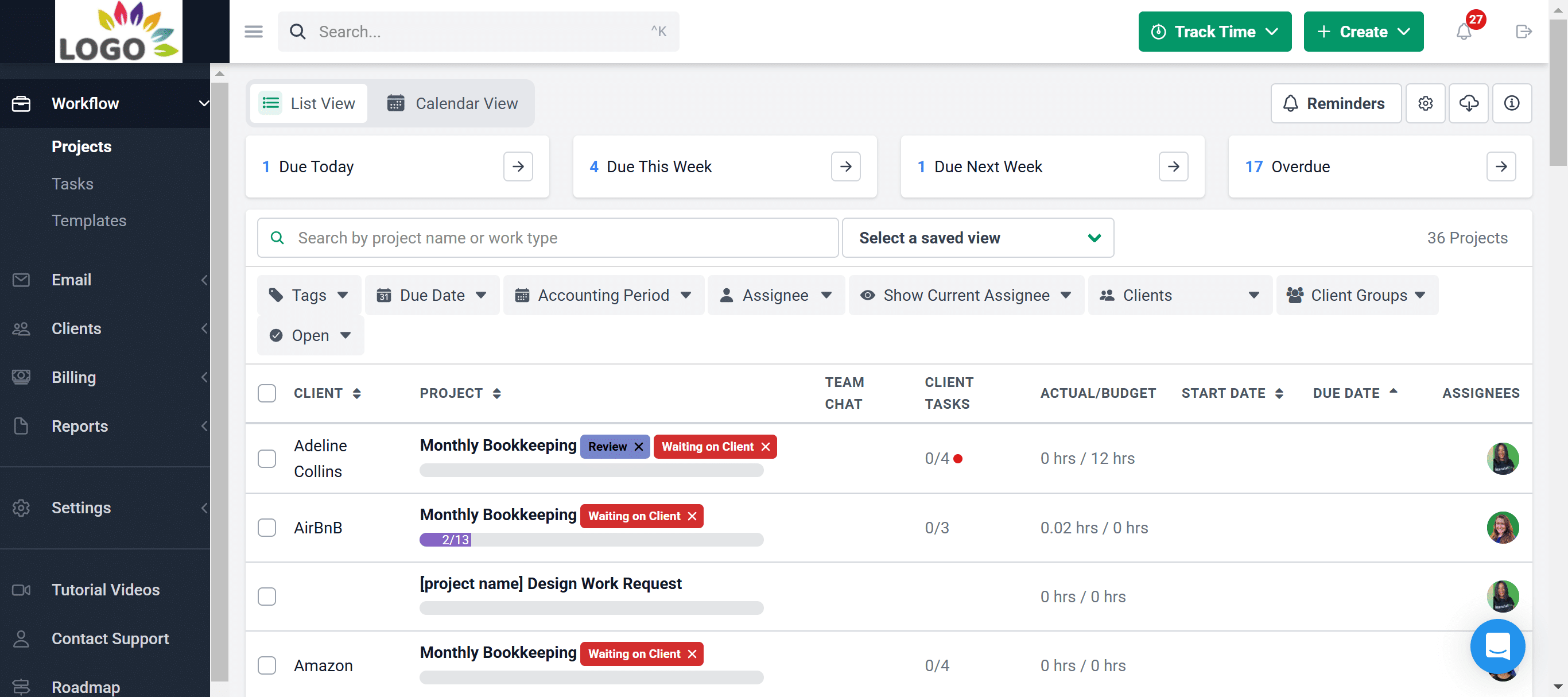
From workflow automation and project templates to client communication, time tracking, capacity management, and reporting, Financial Cents gives firms a centralized place to manage every engagement from start to finish.
Financial Cents Key Features and What They Do:
- Workflow Management: Standardize your processes, create projects, assign responsibilities, and prioritize tasks across the firm.
- Workflow Automation: Automates repetitive administrative tasks like recurring project creation, task assignments, status updates, due date reminders, and client follow-ups.
- Team Collaboration: Team Chat provides a centralized hub where team members can comment on tasks, tag colleagues, and share internal updates.
- Email Integration: Connects with Gmail and Outlook to pull client emails directly into the Financial Cents workflow and CRM tool.
- Capacity Management: Monitors team workloads, identifies challenges, and balances assignments to prevent burnout and ensure work is distributed effectively.
- Time Tracking: Use built-in timers or manual entries to track billable and non-billable time within projects to improve budgeting, invoicing, and profitability reporting.
- Document Management: Employees can store, organize, and exchange client documents alongside the work they belong to.
- Budget & Reporting: Track project budgets, monitor team productivity, measure profitability, and generate reports that provide valuable insights into your firm’s performance.
- Financial Cents AI: Embedded AI that:
- Drafts client emails, summarizes communication threads, and creates workflow templates.
- Automatically renames uploaded client files using your naming conventions to improve document organization and retrieval
- Validates every uploaded file and tells clients when to fix an error, so you don’t find out too late that the document your client uploaded is incorrect.
- Client Requests: Request documents, approval, and information from clients and auto-remind them until everything needed for the engagement has been received.
- E-signatures: Allows clients to legally sign engagement letters, tax forms, and authorization documents within Financial Cents.
- Accounting Firm CRM: A centralized database of all client contact information, custom notes, interaction histories, and custom data.
- Billing & Payments: Create and send invoices, accept online payments, and manage your firm’s billing process alongside your workflows.
- Proposals: Create, send, and manage professional proposals and engagement letters to onboard new clients faster.
- Month-End Close feature: Identifies transaction errors and allows you to review them with clients, request missing vendor information, and push changes back to QBO.
Best For
Small and mid-sized accounting, bookkeeping, CPA, and tax firms (2–50 employees) looking to scale their operation without a proportional increase in headcount and admin time. That is, small and mid-sized firms that want project management and practice management in one platform.
The Trade-off
Financial Cents prioritizes ease of use, quick implementation, and all-inclusive access to practice management features over endless customization with hierarchies.
It is the perfect fit for a firm that wants to get organized in a matter of hours, but will disappoint users who want to write complex code or build custom data relationships inside their project boards.
Ratings
Financial Cents is rated:
Free Trial
Yes. Financial Cents offers a 14-day free trial.
Pricing
Financial Cents’ plans are:
- Solo Plan: $19 per month (billed annually)
- Team Plan: $49/month per user (billed annually)
- Scale Plan: $69/month per user (billed annually)
- Enterprise Plan: Custom pricing
| Pros | Cons |
|---|---|
| Intuitive interface and rapid team adoption | Not intended for organizations outside the accounting profession |
| Passwordless client portal | Lacks advanced tax resolution features |
| Built-in time tracking, billing, and reporting | Month-end close feature requires additional payment |
Bring clarity and control to your firm’s work with Financial Cents. Book a Free Demo.
Book
2. Karbon
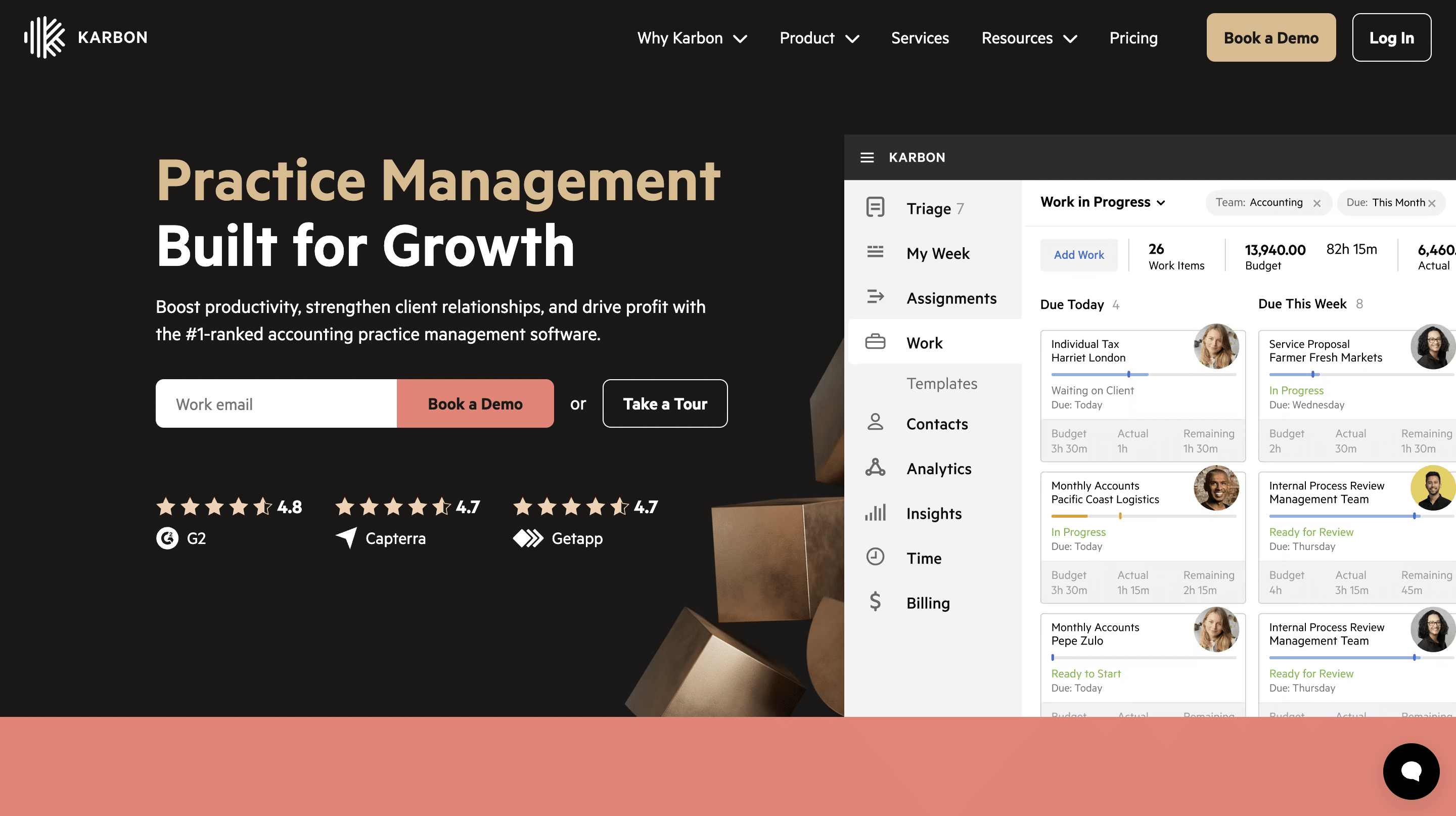
Karbon is a project management platform built around centralized communication and team collaboration for accounting firms that need greater visibility into client work.
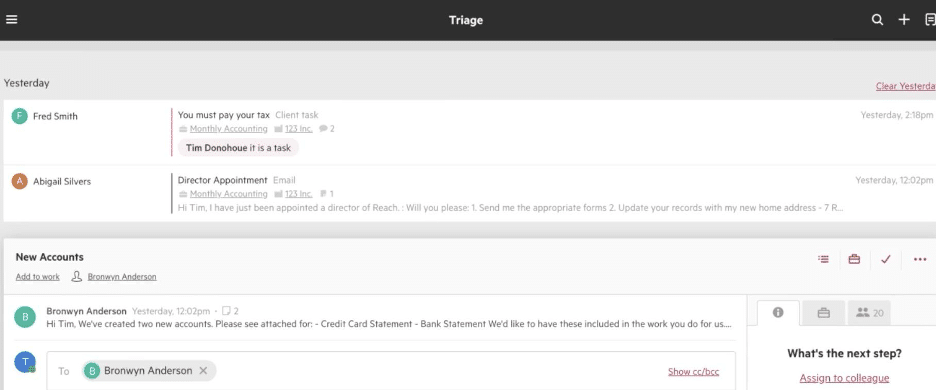
It unifies email, tasks, workflows, and internal discussions in a single platform to help multi-partner firms coordinate work more effectively and reduce communication silos.
Karbon’s Key Features and What They Do:
- Project Management: Provides a bird’s-eye view of your firm’s entire workload using Kanban boards, lists, and critical milestones.
- Workflow Automation: Uses automatic triggers to update statuses, assign tasks, and adjust due dates as work moves through your pipeline.
- Email Management: Connects your inbox directly with client profiles and transforms emails into shared tasks for the whole team.
- Team Collaboration: Allows team members to comment, tag colleagues, and discuss work directly within the relevant client context or project card.
- Client Management: Centralizes contact details, history, relationships, and internal notes for every client.
- Client Portal: A secure dashboard where clients can view outstanding tasks, upload documents, and communicate with your firm.
- Time Tracking & Budgets: Records employee hours against specific projects and compares metrics against your financial targets.
- Billing & Payments: Generates accurate invoices directly from completed work or tracked hours and collects payments via secure digital channels.
Best For
Large or enterprise accounting firms (with 100+ employees) managing multiple service lines, larger teams, and complex client portfolios that need heavy workflow customization and team collaboration.
The Trade-off
Karbon sacrifices simplicity to provide enterprise-grade control, which is great for larger firms that need heavy email triage.
However, its complex features and high subscription fees present an unnecessary obstacle for small firms that just need an intuitive way to manage recurring client work and keep projects moving.
Ratings
Karbon is rated:
Free Trial
Karbon requires you to complete a demo before the free trial.
Pricing
Karbon’s pricing plans are:
- Team: $59/month per user (annual billing)
- Business: $89/month per user (annual billing)
- Enterprise: custom pricing
| Pros | Cons |
|---|---|
| Deep email-to-task integration | Steep learning curve |
| Visibility for large distributed cross-functional teams | Complex onboarding processes |
| Robust email integration | Some advanced functionality requires additional paid modules |
You maybe interested:
3. Canopy
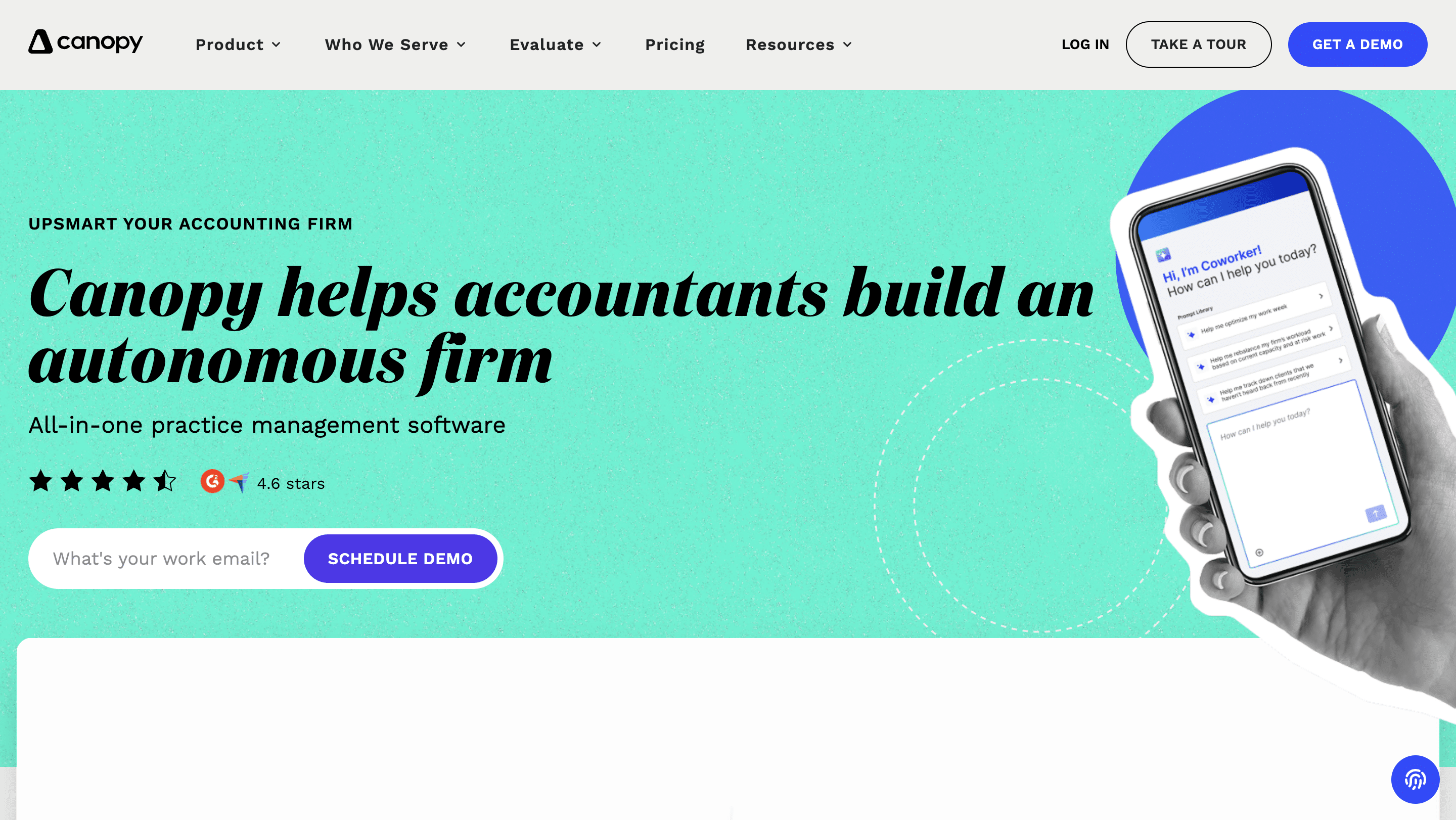
Canopy combines accounting project management with client management, document storage, billing, and tax-specific tools to help firms manage client engagements.
Canopy is particularly popular among tax firms because it goes beyond accounting project management into tax resolution, IRS notice management, and transcript retrieval, which saves firms the need for separate tax resolution software.
Canopy’s Key Features and What They Do:
- Workflow: Organize client work with customizable workflows, recurring tasks, project, and due dates tracking to keep the team productive.
- Tax Resolution: Built-in step-by-step assistant workflows, forms, and calculators to manage IRS and state tax resolution cases.
- Transcripts & Notices: Connects to the IRS E-Services portal to pull official client transcripts and track agency notices automatically.
- Document Management: Store, organize, and securely share client documents in a centralized location.
- Client Portal: Give clients a secure space to upload documents, complete requests, and communicate with your team.
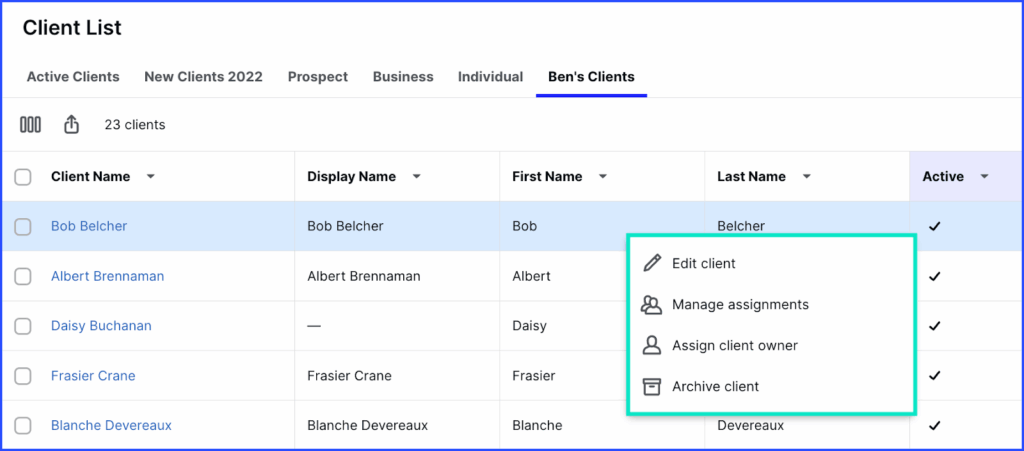
- CRM: A centralized client database with contact details, engagement history, communications, and other relationship information that gives your team a complete view of every client.
- Capacity Planning: Monitor team workloads to see who is over-allocated or available for new work and balance assignments to ensure work is distributed efficiently.
Best For
Medium-to-large CPA firms looking to replace multiple independent technical tools with a centralized system.
The Trade-off
Canopy uses a hybrid pricing model that combines per-user monthly tiers with significant add-on costs for specialized tax resolution and automation features.
This structure offers deep tax functionality for mid-sized firms, but it also leads to high, unpredictable costs for smaller firms needing less advanced project management.
Rating
Canopy is rated:
Free Trial
Canopy requires you to complete a demo before the free trial.
Pricing
Canopy’s subscription plans are:
- Standard: $74/month per user (annual billing)
- Plus: $109/month per user (annual billing)
- Premium: $149/month per user (annual billing)
- Enterprise: Custom pricing
| Pros | Cons |
|---|---|
| Incredible IRS tax resolution modules | Interface can feel laggy due to the size of the database |
| Excellent client portal | Can become expensive as firms add more modules |
| Built-in time, billing, and payment processing | Most tax features require additional per-user payments |
You maybe interested:
4. TaxDome
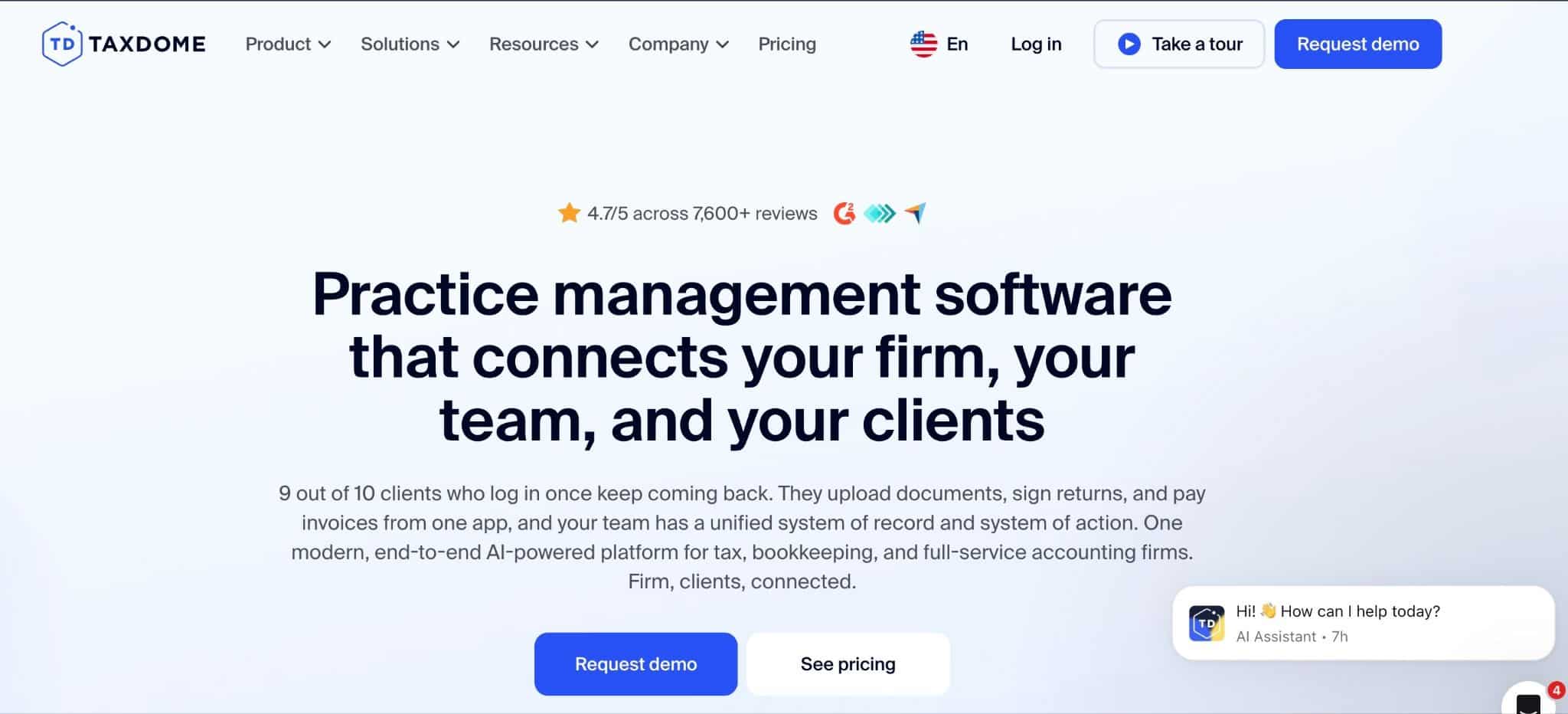
TaxDome is a comprehensive project management platform designed for accounting firms that want to modernize both their internal operations and client experience.
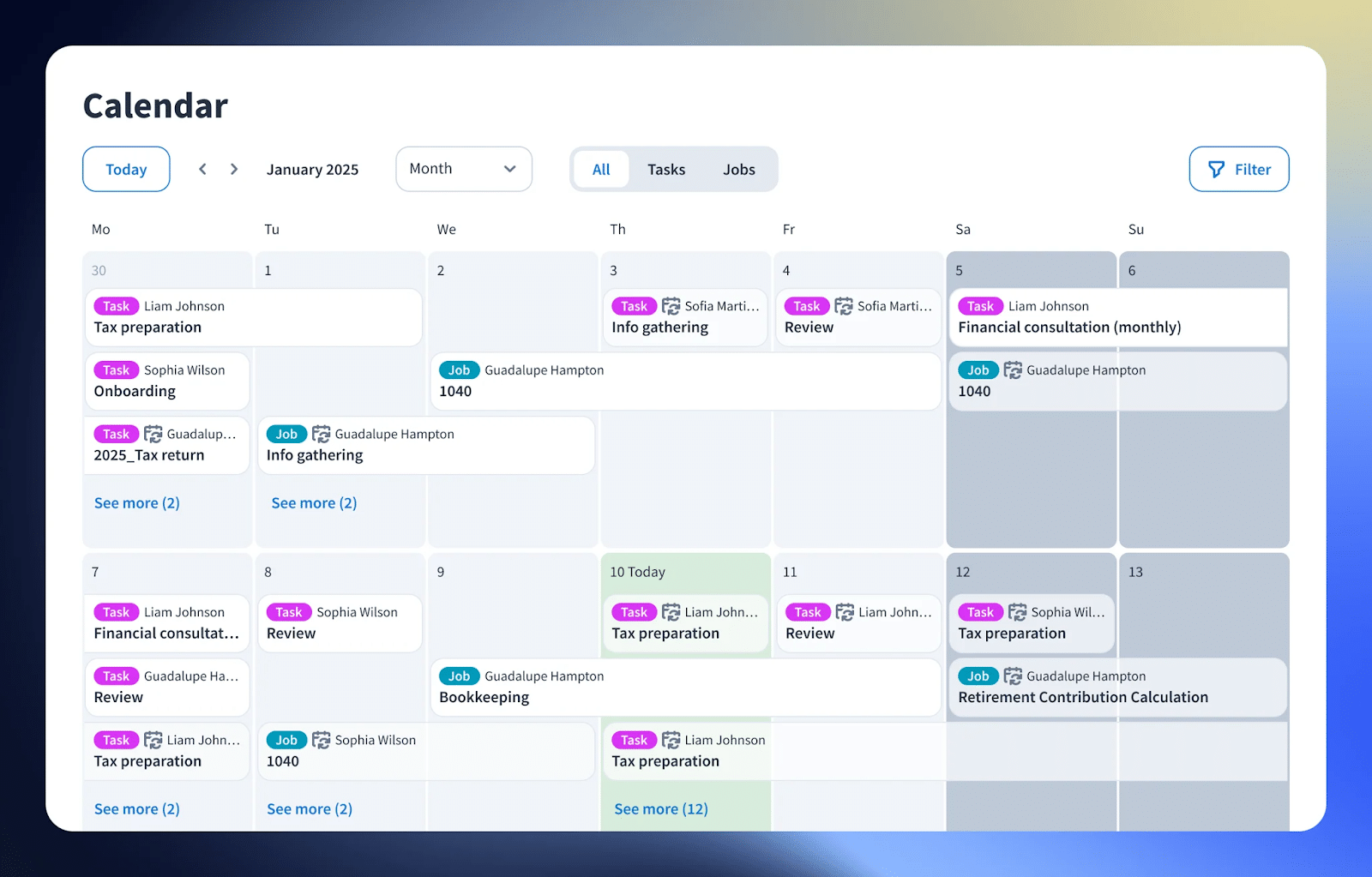
It combines workflow management with a secure accounting client portal, document management, e-signatures, billing, and workflow automation in a way that enables firms to manage client engagements from onboarding through final delivery.
TaxDome Key Features and What They Do:
- Workflow automation: Moves client projects through your pipeline automatically by triggering task assignments, file updates, etc.
- Team collaboration: TaxDome provides a centralized workspace where staff can tag colleagues, leave notes on files, and assign internal subtasks.
- CRM: Acts as a centralized database for all client contact details, corporate structures, and communication histories.
- Document management: Provides secure, unlimited cloud storage to organize client tax forms, financial statements, and receipts into clear folder structures.
- Tax organizers: Digital questionnaires that guide clients through the process of submitting their annual tax details.
- E-signatures: Allow clients to legally sign E-file authorizations, engagement letters, and documents digitally from any device.
- Time and billing: Tracks billable hours using live timers and generates professional invoices directly from completed tasks or fixed fees.
- Client portal: Gives clients a password-protected workspace to view outstanding requests, complete organizers, and download finished tax returns.
Best For
TaxDome is best suited for accounting, bookkeeping, CPA, and tax firms (2–75 employees) that want to centralize client communication, document management, workflow automation, and practice management in one platform.
The Trade-off
TaxDome is an excellent choice for firms that want to consolidate client-facing operations into a single platform.
However, TaxDome prioritizes feature breadth over simplicity. Firms should expect to invest significant time configuring workflows, templates, and automations before realizing its full value.
Rating
TaxDome is rated 4.7/5 on both Capterra and G2.
Free Trial
No free trial for firms in the U.S. Firms outside of the U.S must complete a demo before the free trial.
Pricing
TaxDome’s subscription plans are:
- Essentials: $800/year per seat (1-year commitment)
- Pro: $1,000/year per seat (1-year commitment)
- Business: $1,200/year per seat (1-year commitment)
| Pros | Cons |
|---|---|
| Comprehensive client portal with secure file sharing | Initial setup can be time-consuming |
| Strong document management and e-signature capabilities | Interface can feel overwhelming for first-time users |
| Reduces reliance on multiple point solutions | Subscription model requires long-term financial commitment |
You maybe interested:
5. Jetpack Workflow
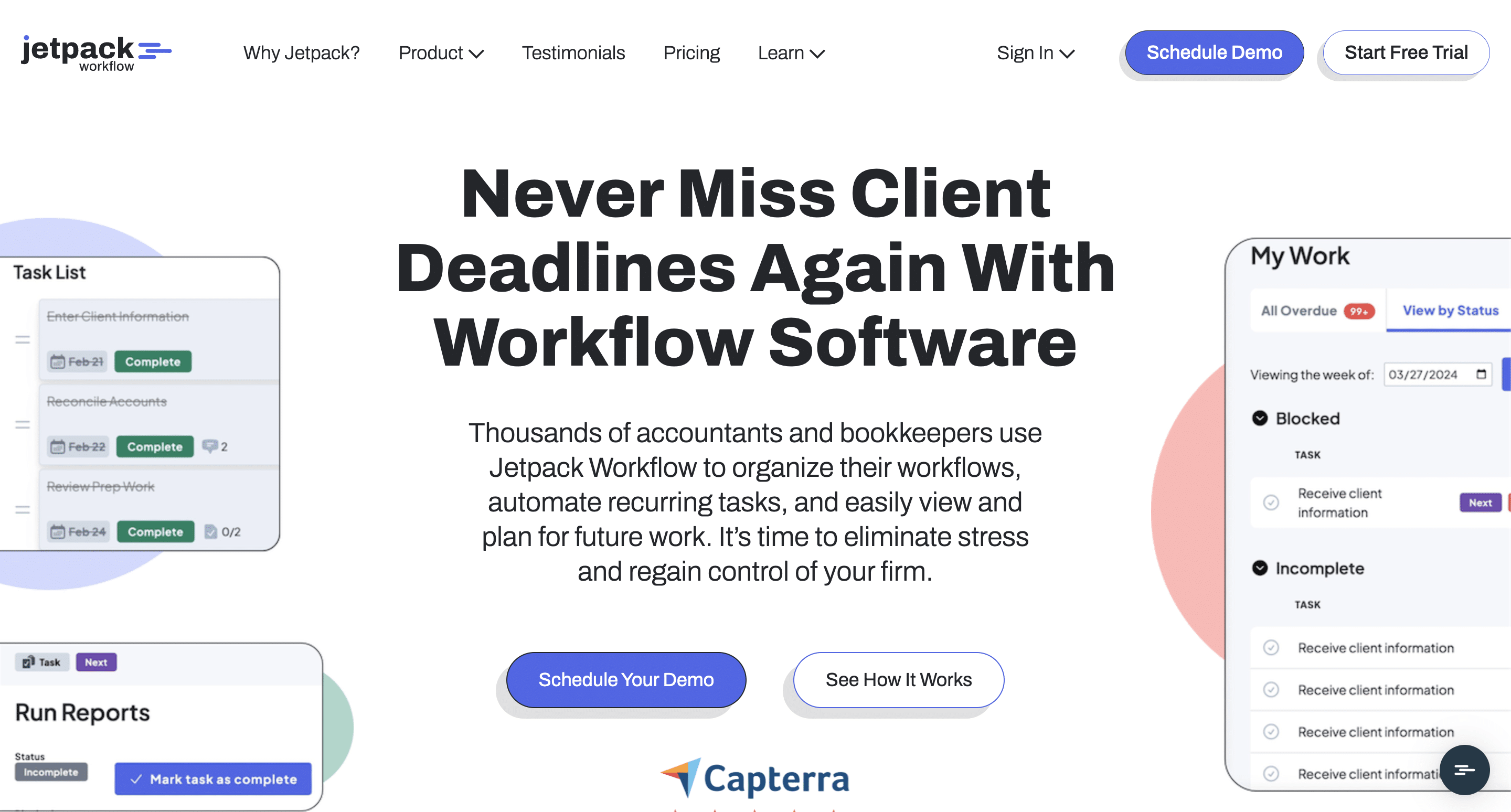
Jetpack Workflow is a workflow management platform designed to help accounting firms standardize recurring client work, track deadlines, and manage engagements from start to finish.
It helps firms replace manual task tracking with repeatable workflows, giving teams greater visibility into work across clients and staff, but offers fewer practice management capabilities than more comprehensive platforms.
Jetpack Workflow Key Features and What They Do:
- Project Management: Acts as a centralized workspace for planning, assigning, and tracking client engagements from start to finish.
- Capacity Planning: Provides visibility into your team’s workload to ensure tasks are distributed evenly.
- Progress Tracking: Monitors task statuses so firm leaders can catch operational bottlenecks and delays before they affect deadlines.
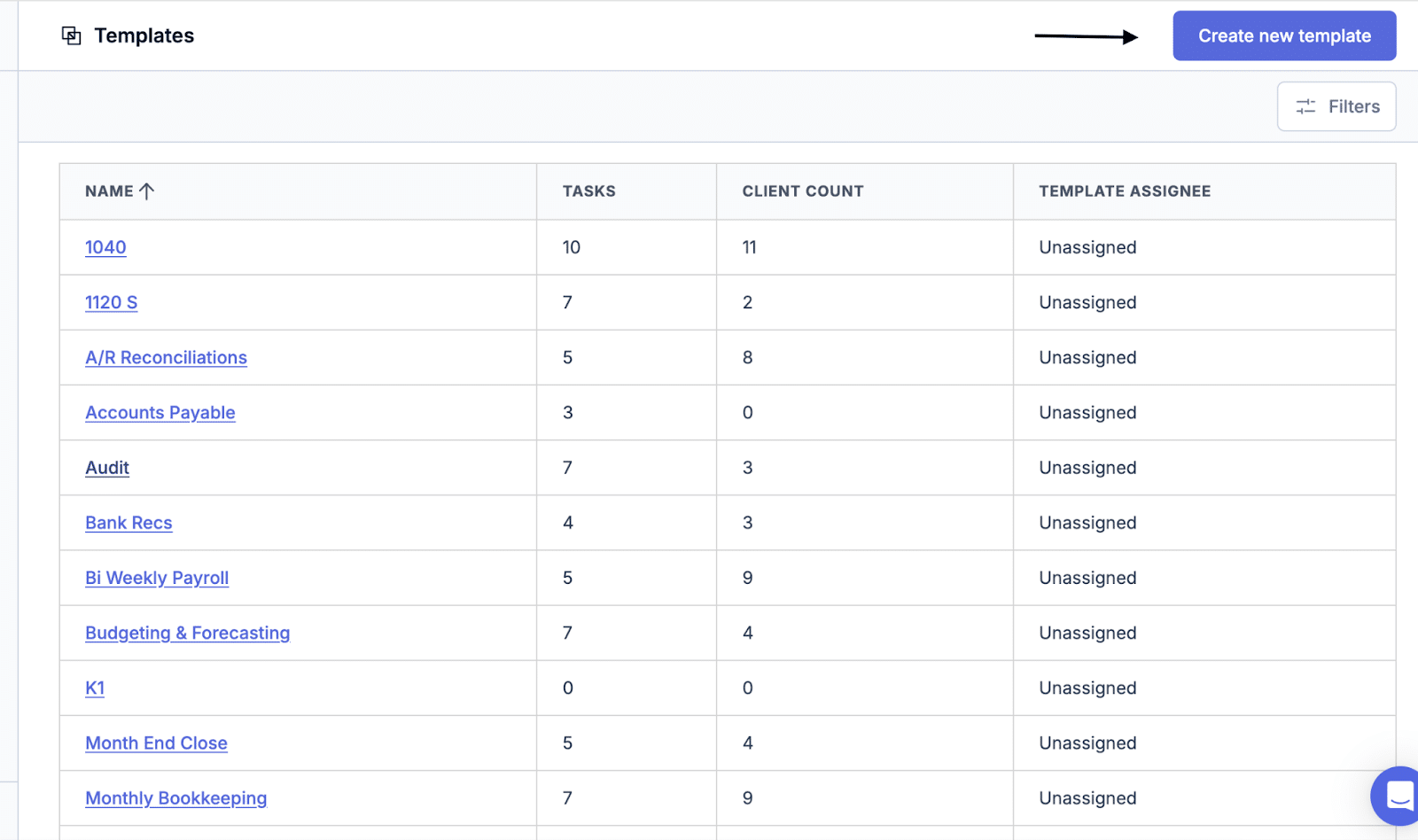
- Recurring Workflows: Automate recurring projects, task creation, due dates, and other repetitive administrative work to save time and improve consistency across the firm.
- Workflow Templates: A library of reusable workflow templates tailored to your firm’s services and processes.
- Team Collaboration: Keep everyone aligned with shared task lists, assignments, comments, notifications, and project updates in one space.
Best For
Small accounting, bookkeeping, and tax firms that need a simple, industry-specific solution for managing recurring client work and compliance deadlines.
The Trade-off
Jetpack Workflow prioritizes simple workflow visibility, checklist templates, and automation over comprehensive firm management. This makes it ideal for firms that want to track compliance workflows internally.
Its lack of an integrated client portal means you must use standalone systems to share documents and manage client collaboration.
Rating
Jetpack Workflow is rated:
Free Trial
Jetpack Workflow offers a 14-day free trial.
Pricing
Jetpack Workflow’s plans are:
- Starter: $40/month per user (annual billing)
- Premium: $50/month per user (annual billing)
| Pros | Cons |
|---|---|
| Easy to implement | No native client-facing portal |
| Excellent workflow templates | Limited CRM functionality |
| Strong deadline visibility | Reporting isn’t as detailed as larger platforms |
You maybe interested:
6. Aero Workflow
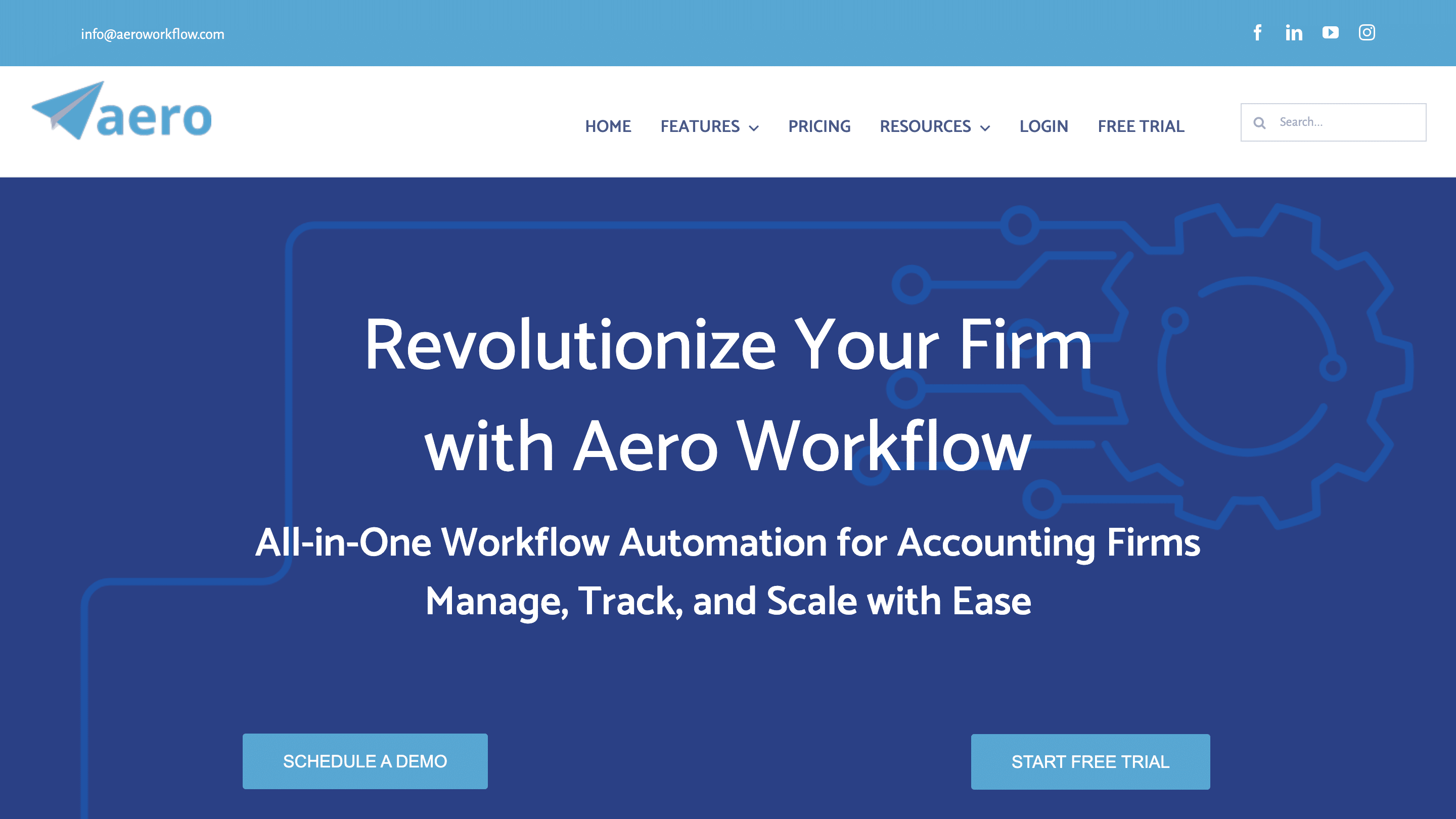
Aero Workflow is an accounting workflow management platform that helps accounting firms standardize recurring work and improve deadline visibility.
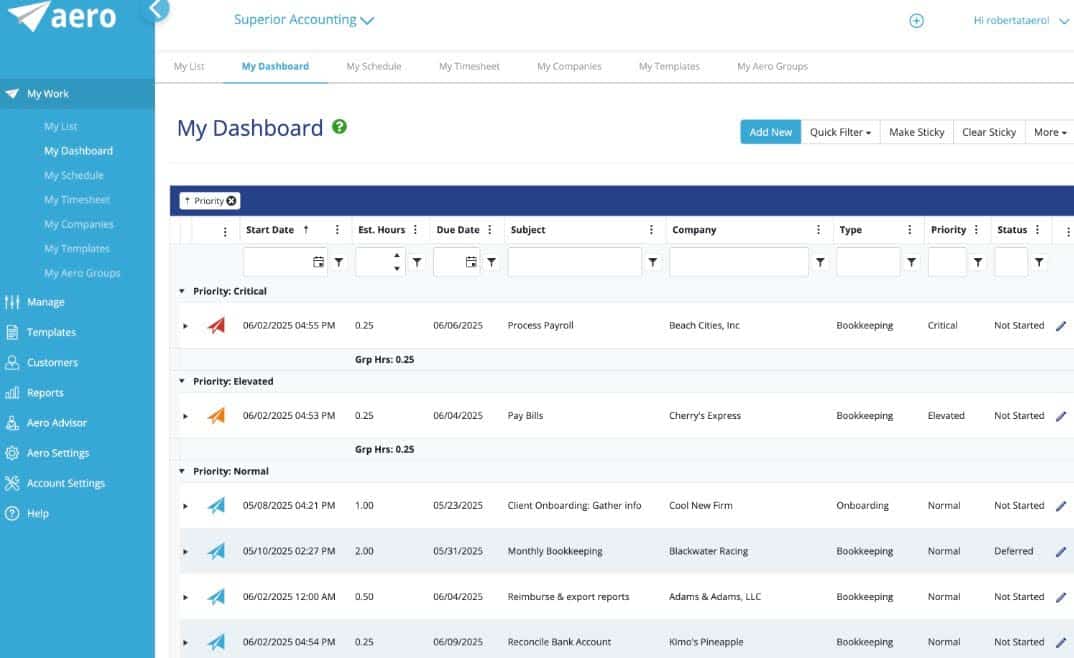
It enables firms to create repeatable workflows by attaching detailed standard operating procedures (SOPs) and checklists to client engagements, which makes it easier to deliver services consistently across the team.
Aero Workflow’s Key Features and What They Do:
- Checklists: Break complex accounting procedures down into step-by-step instructions to improve consistency.
- Schedule Tasks: Pre-set recurring tasks and projects based on your service timelines to ensure no deadline is forgotten.
- Practice Management: Central operating system for your firm to track time, staff productivity, and overall firm profitability.
- Client Advisory: Structured templates and tracking tools designed to deliver high-value advisory, consulting, and strategic planning services.
- Team Collaboration: Keep staff aligned through task assignments, comments, notifications, and shared workflows, making it easier to coordinate work across the firm.
- Client Management: Maintain a basic level of record of clients, projects, and engagement details so your team can quickly access the information needed to complete client work.
Best For
Small firms that need strict step-by-step procedures to maintain quality control. Especially those that want an easy-to-use tool without the complexity of a full practice management platform.
The Trade-off
Aero Workflow is a good fit for firms that value simplicity and want to organize recurring work without a steep learning curve.
But as firms grow, they may outgrow its reporting, automation, and collaboration capabilities and need a more comprehensive practice management solution.
Rating
Aero Workflow is rated:
Free Trial
Aero Workflow offers a 30-day free trial.
Pricing
Aero Workflow’s subscription plans are:
- Startup: $108/month (annual billing)
- Growth: $200/month (annual billing)
- Scaling: $295/month (annual billing)
| Pros | Cons |
|---|---|
| Excellent for embedding standard operating procedures directly into daily workflows. | User interface looks out of date |
| Good recurring workflow management | Limited automation compared to newer competitors |
| Affordable for smaller firms | Basic reporting capabilities |
7. ClickUp
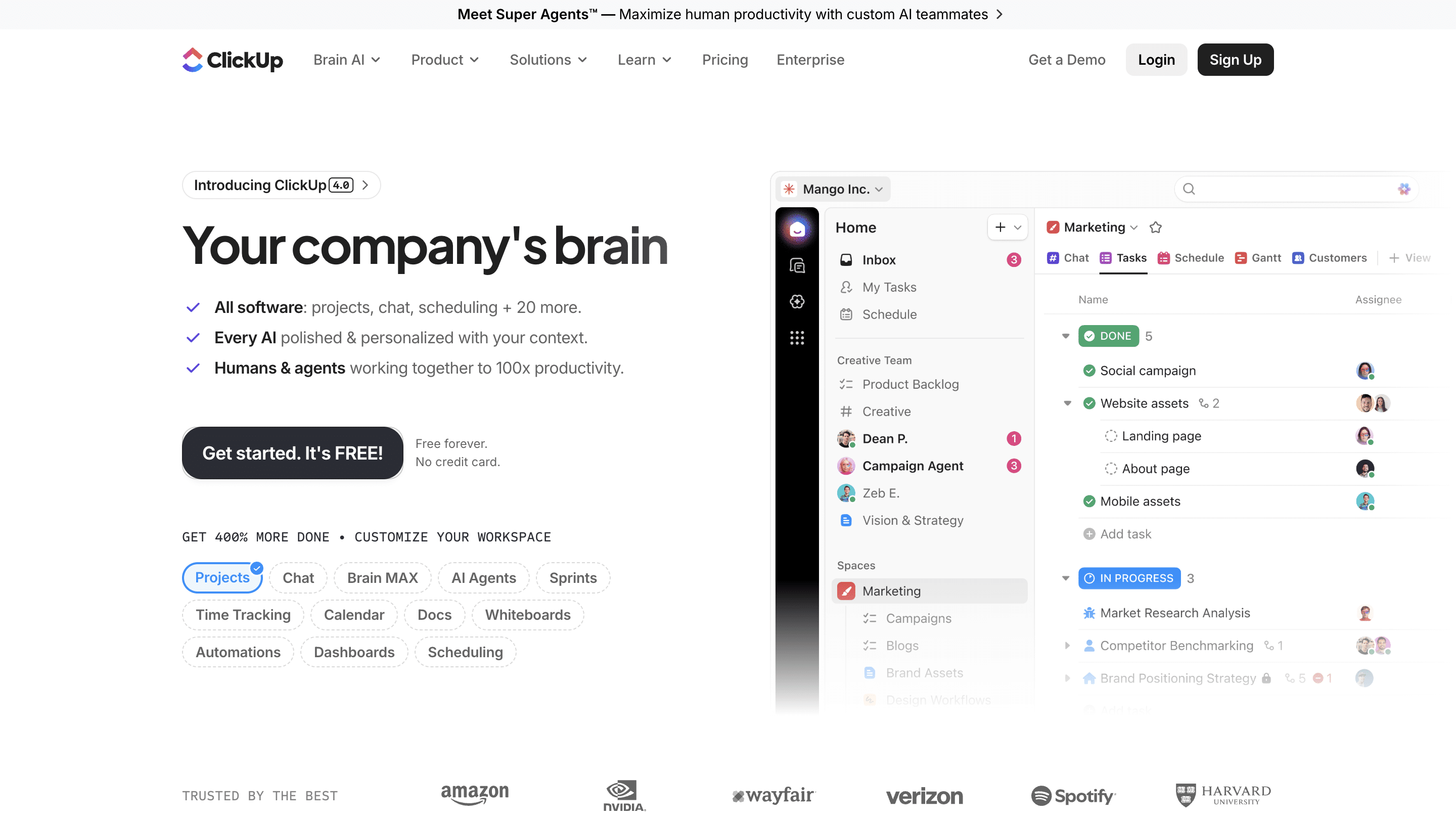
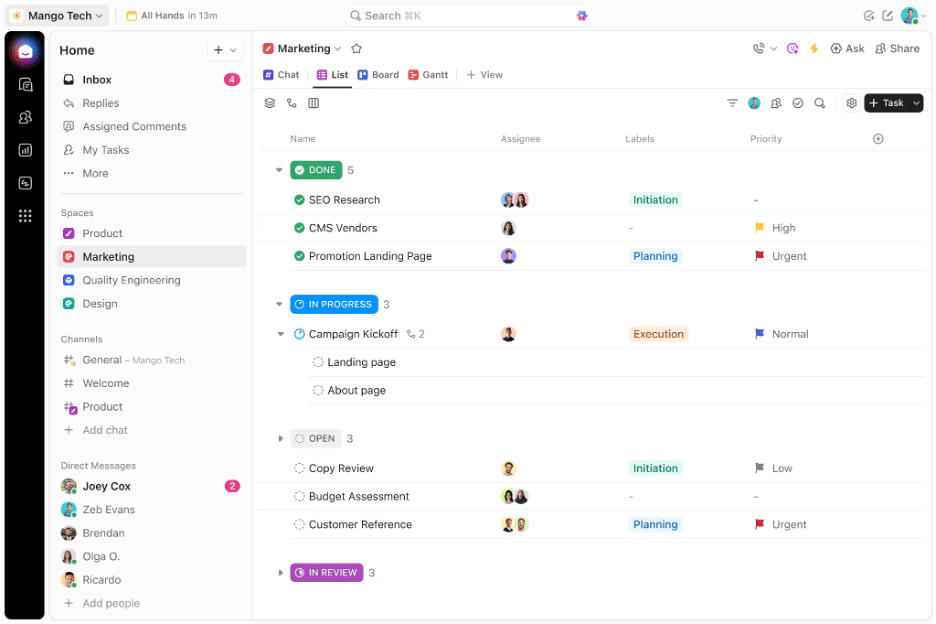
ClickUp is a customizable project management platform that can be adapted to almost any industry, including accounting.
It gives firms the flexibility to build their own project structures, dashboards, automations, and reports (instead of providing accounting-specific workflows out of the box), and that makes it suitable for firms with unique processes or dedicated operations resources.
ClickUp’s Key Features and What They Do:
- Tasks: Break down large projects into smaller items with custom statuses, priorities, and assignees.
- Boards: Customizable control centers for monitoring project progress, team workloads, time tracking, and other performance metrics.
- Chat: Facilitates collaboration between team members and keeps conversations connected to projects.
- Docs: A collaborative text editor for creating internal manuals, client briefs, and structured meeting notes.
- Forms: Builds custom digital intake questionnaires to collect data, files, and asset requests from clients.
- Calendar: Displays your project deadlines, client meetings, and daily work tasks on a flexible calendar view.
- Scheduling: Allows clients or staff to book specific time slots based on real-time calendar availability.
- Automations: Uses custom triggers and actions to automate repetitive administrative steps like changing assignees or updating project priorities.
- Time tracking: Log billable and non-billable hours directly on individual tasks using manual entries or live global timers.
Best For
Tech-savvy accounting firms of any size with the time and resources to customize, maintain, and optimize their own project management workflows.
The Trade-off
You can customize it to fit your exact processes, but the lack of accounting-specific features makes your firm responsible for building and maintaining the system.
Firms looking for ready-made accounting workflows will likely get value faster with industry-specific accounting software.
Ratings
ClickUp is rated 4.6/5 on both Capterra and G2.
Free Trial
ClickUp offers a free tier.
Pricing
ClickUp’s plans are:
- Free Forever: $0
- Unlimited: $7/month per user
- Business: $12/month per user
- Enterprise: Custom pricing
| Pros | Cons |
|---|---|
| High flexibility | Feature set can be overwhelming |
| Affordable per-user costs | Requires dozens of hours to build accounting workflows |
| Comprehensive feature library | Not designed for accounting firms |
You may be interested:
ClickUp for Accounting Firms: Does It Really Work? An Honest Look
8. Monday.com
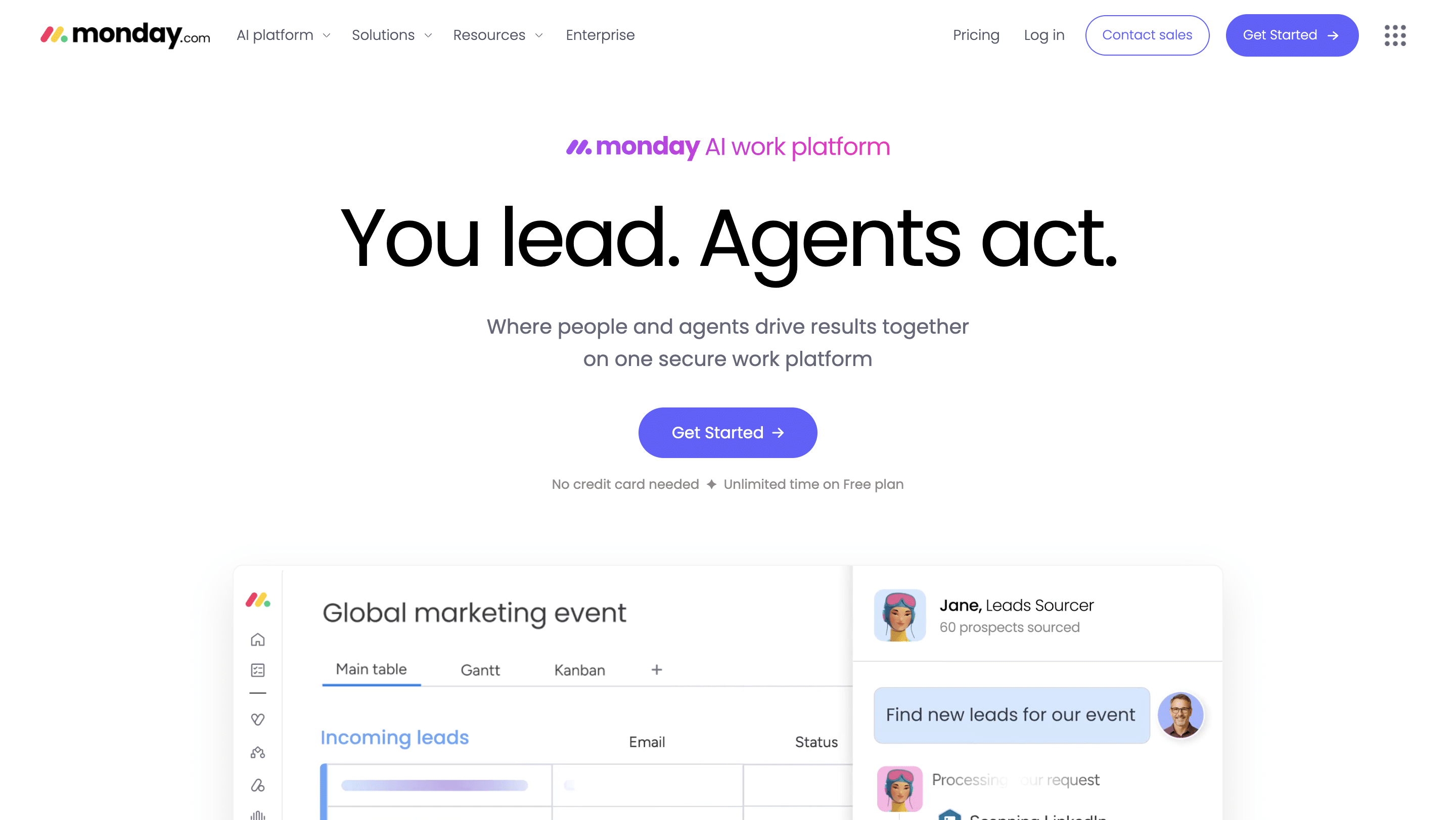
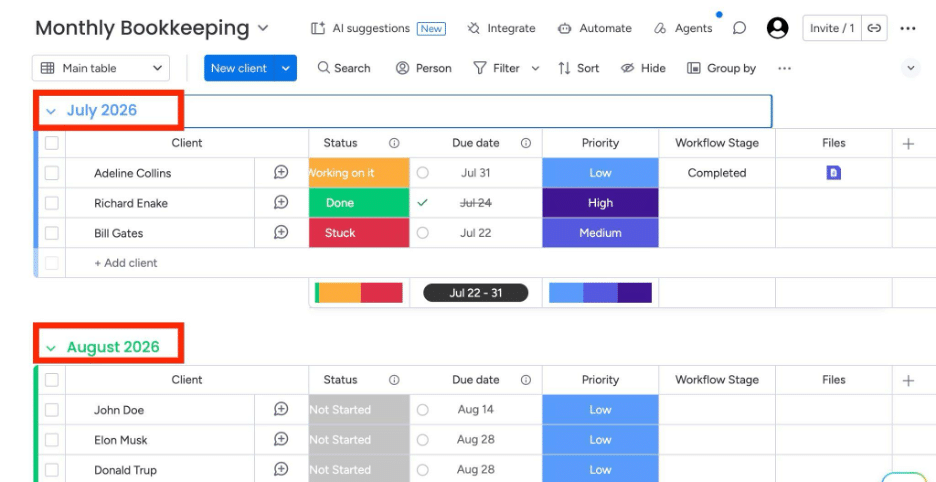
Monday.com is a work operating system that enables teams to build custom workflows using configurable boards, automations, dashboards, and AI-powered features.
Its strength lies in giving firms the flexibility to manage virtually any process, from simple task tracking to complex operational workflows.
Monday.com’s Key Features and What They Do:
- Boards: Serve as the core workspace for firms to build, customize, and track any accounting or business process using rows (items) and columns.
- Views: Allow you to visualize your board data in multiple formats, such as Kanban, Calendar, Timeline, or Gantt charts, with a single click.
- Automations: Monday.com uses custom “If This, Then That” recipes to handle repetitive tasks, like sending notifications, changing assignees, or moving items across stages.
- Files: Centralizes and stores client documents, receipts, and spreadsheets securely inside the relevant task row.
- Form: Builds custom digital intake questionnaires that automatically turn client submissions into structured rows on your boards.
- Time Tracking: Logs billable and non-billable hours directly on individual tasks using a built-in start/stop timer or manual entry.
- AI Features: Use Monday AI to assist with tasks such as generating content, summarizing updates, categorizing information, extracting action items, and automating repetitive work.
Best For
Mid-to-large firms with varied service lines that want a visually appealing dashboard and have the resources to configure it to suit their accounting workflows.
The Trade-off
Monday.com prioritizes flexibility over specialized project management. It excels at keeping internal teams aligned on high-level timelines.
But because it is not built for the accounting industry alone, it lacks a secure client login portal for handling sensitive financial and tax documents.
Ratings
Monday.com is rated:
Free Trial
Monday.com offers a 14-day free trial.
Pricing
Monday.com’s subscription plans are:
- Basic: $9/month per user
- Standard: $12/month per user
- Pro: $19/month per user
- Enterprise: Custom pricing
| Pros | Cons |
|---|---|
| Modern, user-friendly interface | Not built for accounting-specific workflows |
| Built-in AI tools for sorting unstructured data | No built-in client portal |
| Highly customizable workflows | Recurring accounting work requires manual setup |
You may be interested:
Is Monday.com Right for Accounting Firms? A Detailed Review
9. Asana
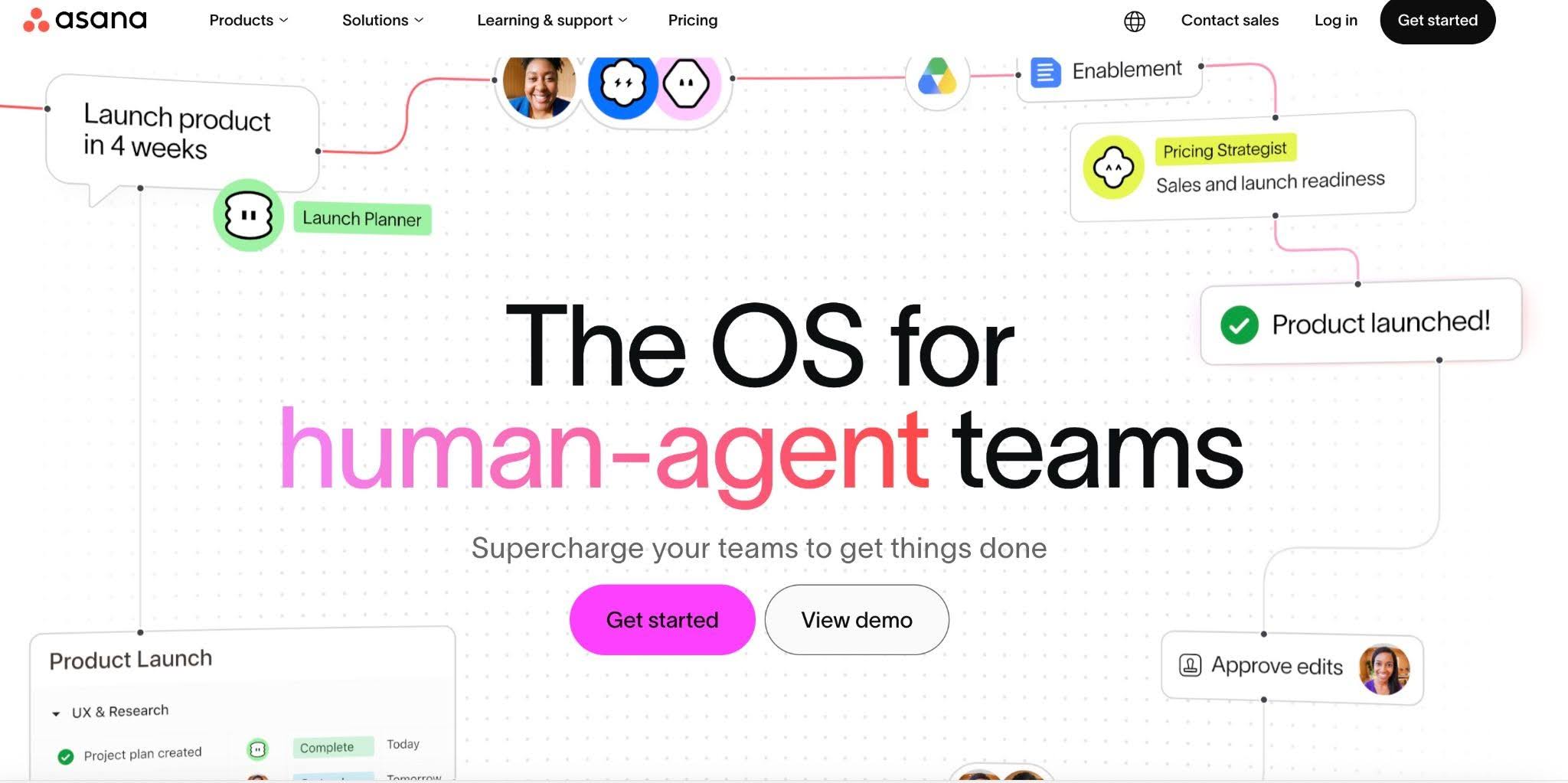
Asana is a general-purpose project management platform that helps teams organize work, manage deadlines, and collaborate more effectively.
Its intuitive interface and flexible workflow tools make it popular across industries, but accounting firms using it often combine it with additional software for client collaboration, recurring engagements, and other accounting-specific workflows.
Asana’s Key Features and What They Do
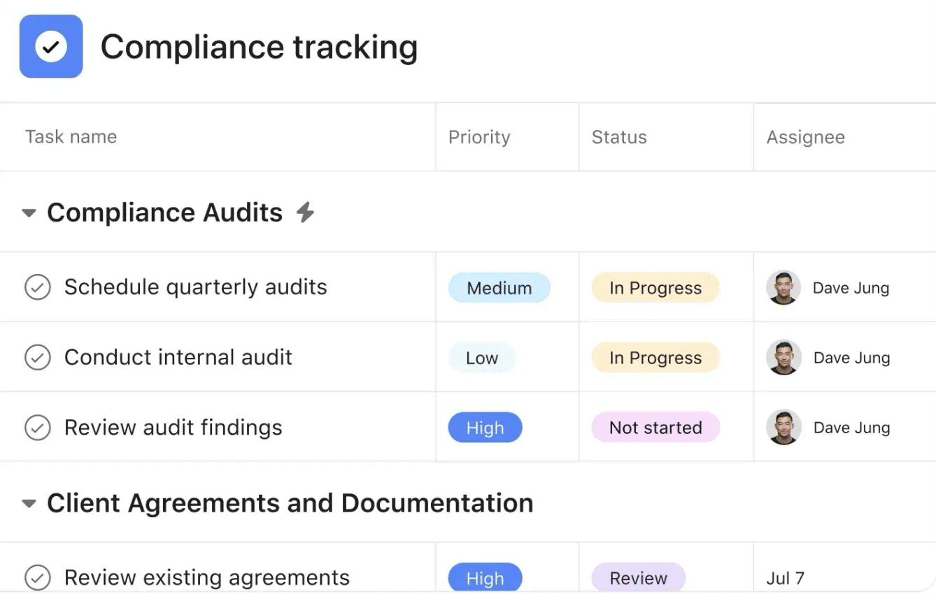
- Projects: Organizes related tasks into shared, overarching initiatives to track complete accounting workflows, client accounts, or tax seasons.
- Tasks: Smaller, more manageable bits of a project with specific owners, clear due dates, and custom priority levels.
- Views: Lets users display project data in their preferred format, including List, Board (Kanban), Calendar, Gantt (Timeline), or dynamic Charts.
- Automations (Rules): Uses customizable triggers to automate repetitive administrative steps, such as reassigning tasks, updating statuses, or altering due dates.
- Forms: Builds custom digital questionnaires to collect structured intake information, file requests, or data directly from clients.
- Inbox: Serves as a centralized notification feed that aggregates updates, comments, and task changes across all your active projects.
- Messages: A space for text-based discussions directly within specific tasks, projects, or portfolios.
Best For
Small accounting firms (2–10 employees) that need a straightforward, easy-to-use project management system for organizing internal tasks, assigning work, and tracking deadlines without extensive setup.
The Trade-off
Asana is a great tool for tracking internal projects, but its lack of built-in accounting tools forces growing accounting teams to use separate apps for secure client collaboration, recurring workflows, and billing.
Ratings
Asana is rated:
Free Trial
Asana offers a 30-day free trial.
Pricing
Asana’s subscription plans are:
- Personal: Free (for up to 2 users).
- Starter: $10.99/month per user (billed annually)
- Advanced: $24.99 per user per month (billed annually)
- Enterprise: Custom pricing
| Pros | Cons |
|---|---|
| Visually appealing interface | No built-in client portal |
| Minimal training required | Lacks accounting-specific workflow templates |
| Powerful automation for internal workflows | Limited visibility into recurring accounting operations |
You may be interested:
Asana for Accounting Firms: Review, Pros, Cons & Is It the Right Tool?
Selecting the Right Project Management Software for Your Firm
You need to find the one that works the way you think. It’s not always just about the features.
It is also about how you interact with it, how you feel when you’re in it, and how appealing the interface looks to you”
a. Consider Your Firm Size and Growth Trajectory
A 5-person team can make do with a simple tool that enables them to collect client information and hit deadlines. A 30-person firm with multiple departments needs more capacity planning and automation capabilities. But a tool that can accommodate both firm sizes is even better.
b. Ensure It Has Industry-specific Features
Any project management tool can organize tasks. But those that weren’t built with recurring client requests, integrated email, capacity planning, and reporting features will require you to combine multiple standalone tools for your operational needs.
c. Evaluate Ease of Use and Adoption
Tools with an intuitive interface, onboarding resources, and minimal setup requirements are generally easier for small and mid-sized teams to adopt.
d. Review Integrations
A software solution that connects seamlessly with your existing tech stack (QuickBooks Online, Xero, tax software, document storage, email, etc.) will save your team hours of double data entry and human errors.
e. Evaluate Security and Compliance
Software solutions with strong security measures such as encryption, multi-factor authentication, role-based permissions, and regular backups; this would not only protect your client information but also ensure compliance with industry standards.
f. Calculate the Total Cost of Ownership
Beyond the subscription price, factor in the implementation costs, onboarding fees, paid add-ons, storage limits, support plans, and the time required to maintain the system in the long term.
g. Check Whether the Tool Includes Client-facing Features
Built-in client-facing features (like a client portal) will enable your clients to upload documents, view project statuses, and communicate securely and conveniently.
Why Financial Cents Is the Right Fit for Small and Mid-Sized Firms
Some of the tools on this list can help organize projects across multiple industries, while others were designed for larger, enterprise accounting firms. But Financial Cents was not only built exclusively for the accounting industry, but also designed to scale with small and mid-sized accounting firms.
It offers a strong project management tool inside a comprehensive accounting practice management platform. Its goal is to save your team the time, money, and mental costs of relying on disconnected tools to:
- Standardize recurring work (using workflow templates)
- Automate client requests and reminders
- Exchange documents with clients
- Manage task dependencies
- Manage client information and relationships
- Access client emails
- Balance staff workloads
- Track time and generate reports
- Create and send invoices
Example: How Financial Cents Handles a Monthly Bookkeeping Engagement
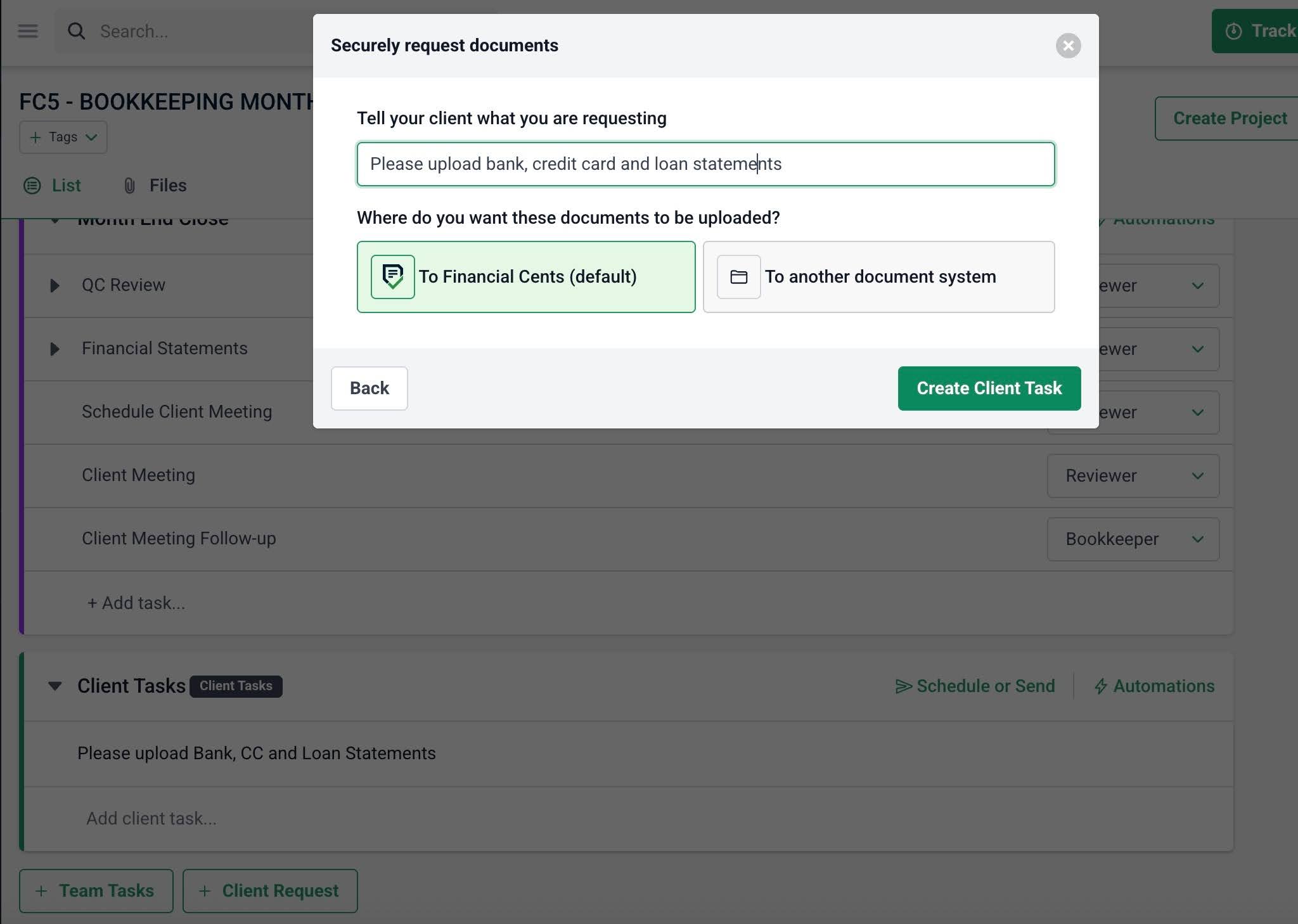
- Financial Cents automatically creates the recurring project from your workflow templates, assigns the tasks, requests bank statements and other documents from clients (and reminds them until the request is granted).
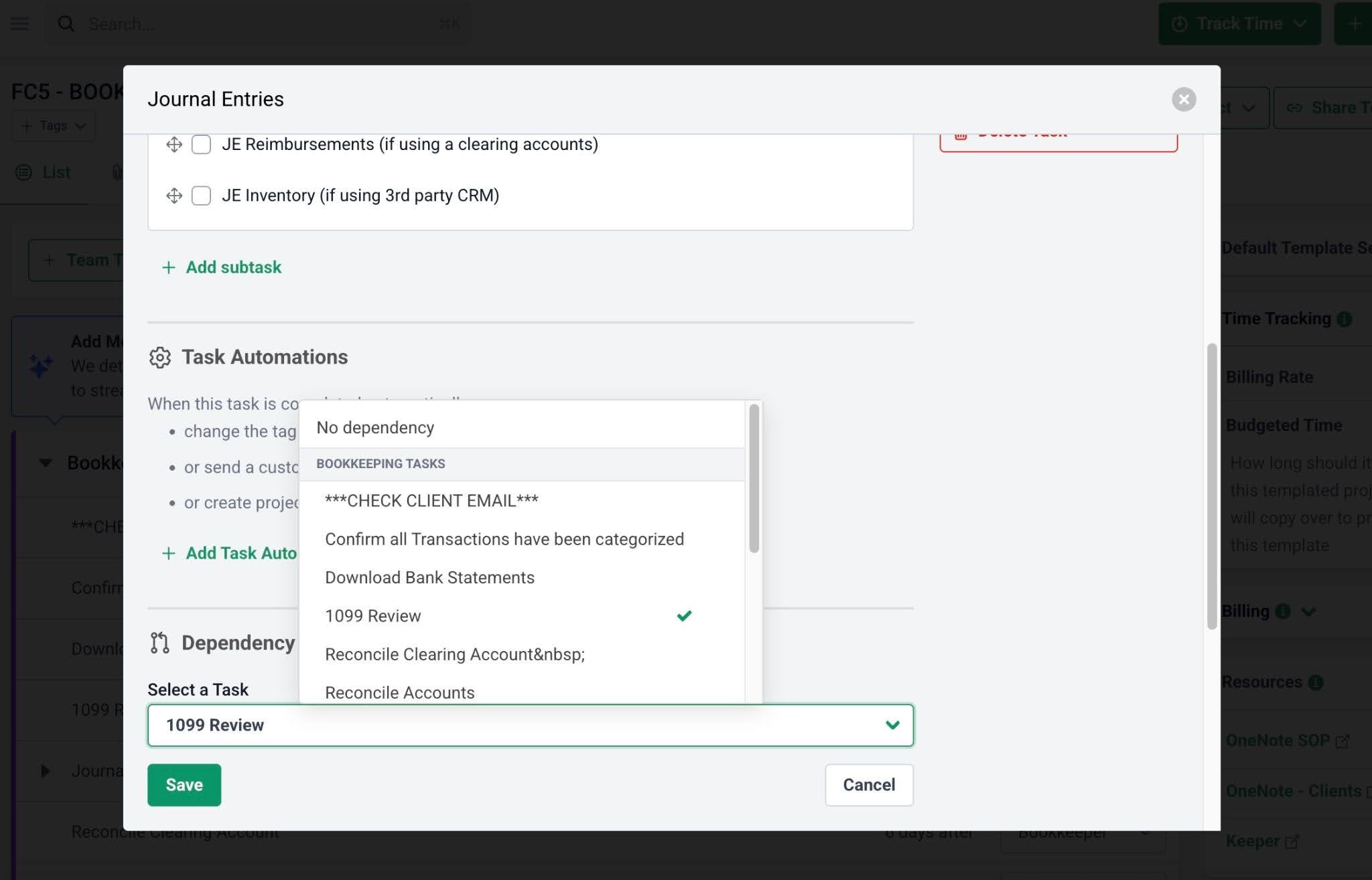
- With all files and information provided, Financial Cents uses the task dependencies feature to remind team members when their tasks are due and ensures that only active tasks can be completed.
- Managers can monitor progress in the workflow dashboards, identify bottlenecks and capacity issues before deadlines are missed, and review performance reports once the engagement is complete.
This comprehensive approach enables Financial Cents users to manage the entire workflow in one centralized platform instead of patching multiple applications together to get it done.
Choosing A Project Management Software Your Team Will Happily Adopt
Despite the growing number of project management software available, many accounting firms still struggle with workflow visibility, client document collection, recurring workflow automation, and overall project profitability.
Unfortunately, that struggle may continue until they choose a software solution that fits the way their firm operates. For many firms, after trying some tools that do not fit their processes, frustration can start to set in.
A platform that works well for a small bookkeeping practice may not support a growing CPA firm, while a highly customizable solution may introduce unnecessary complexity for a smaller team.
The key is to examine the tools based on your firm’s size, service offerings, growth plans, automation needs, budget, and client collaboration requirements.
When these factors guide your evaluation process, it becomes much easier to narrow your options and choose a platform your team can happily adopt.
Tools like Financial Cents have proven to be excellent choices for small and mid-sized firms because of their easy-to-use, industry-specific, and all-in-one practice management design.
Shannon added that, “We can do everything we want in Financial Cents. And because Financial Cents ticks all our boxes, we’re going to keep using this product for a very long time.”
Take advantage of the free trials offered by the tools in this guide to see which one best fits your firm’s workflows and team. Click here to start your Financial Cents 14-day free trial.
Frequently Asked Questions (FAQs)
For most small and mid-sized accounting firms, Financial Cents is a strong choice because it combines accounting-specific project management, recurring workflow automation, client collaboration, proposals, month-end close, and billing.
Firms with more specialized needs may prefer Karbon for advanced customization and collaboration or Canopy for tax-focused workflows.
However, these platforms lack recurring accounting workflows, secure client portals, document requests, and other accounting-specific features. Growing firms often benefit from industry-specific accounting software
Before choosing a solution, confirm that it supports the accounting software and workflows your firm relies on, whether that’s QuickBooks Online, Xero, or your preferred tax applications.
Some accounting-specific tools can be adopted within days, while the more complex or enterprise-focused solutions take several weeks to fully implement.

Wesley Armstrong is the Customer Onboarding Manager at Financial Cents and a former Technical Support Specialist at SmartVault. He helps accounting and bookkeeping firms set up workflows that fit how they actually work, and writes about choosing, comparing, and switching practice management software.
Share this article



